---
layout: post
title: "'Command done' notification with zsh and growl"
date: 2013-06-02 13:07
comments: true
status: obsolete
reviewed: 2026-10
status_note: >
Growl was retired in 2020, and macOS has its own Notification Center now. The
idea still works, and there's a Growl-free version at the end.
categories: zsh oh-my-zsh
---
 The little banner in bottom of the screen in this image shows what I see when a command has finished (for peace of mind, only for the ones that have been running for at least 5 seconds).
Most of the time I find myself running commands that take 1-5 minutes to complete and you know, I am not going to just stare at the screen waiting for it to finish! Then my mind starts wandering in other things that may be productive but also take my focus out of the problem I'm solving at that moment.
You know what I'm talking about, you start looking at your emails, other tickets, problems in [SPOJ](https://www.spoj.com/), your score (and possibly taking revenge) at Fight Codearchived or my favorite: Prismaticarchived[^2026-prismatic] (no, no one looks at his Facebook while working, right?).
[^2026-prismatic]: Prismatic shut down in 2015, and its domain now goes to an unrelated site. The list of tabs would have different names today, but the same problem.
So, tired of finding out that the command I ran
one hour ago has now finished and realizing that I have no clue what I was doing when I pushed that to my personal To-Do stack (because lists are so [FIFO](https://en.wikipedia.org/wiki/FIFO), ugh!), I added [this little script](https://github.com/juanger/oh-my-zsh/blob/master/custom/notifications.zsh)[^2026-hooks] to my zsh configuration.
[^2026-hooks]: It hooks into zsh's `preexec` and `precmd`, which run right before and right after each command. The 2026 version below uses the same two hooks. (The link still works, it's my old oh-my-zsh fork.)
And I can customize the style of the Growl notification when it fails:[^2026-notif]
[^2026-notif]: Notification Center won't let you style the banner, but you can change the title. iTerm2 and Ghostty also understand an escape sequence (`printf '\e]9;%s\a' "done"`) that posts a notification with no AppleScript at all.
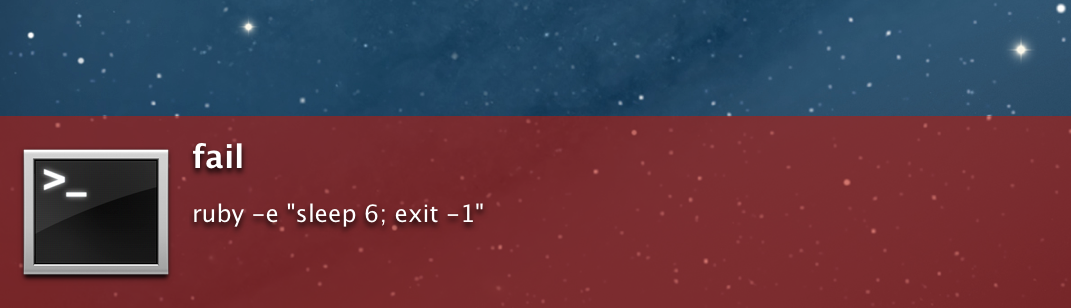 Ain't it cool?
:::today
Growl is gone, so post to Notification Center through `osascript`. Same two zsh hooks, no Growl. Tested on macOS 27. The first time, macOS asks to allow notifications from Script Editor.
```zsh
zmodload zsh/datetime
autoload -Uz add-zsh-hook
_cd_pre() { _cd_start=$EPOCHSECONDS; _cd_cmd=$1 }
_cd_post() {
(( ${+_cd_start} )) || return
local elapsed=$(( EPOCHSECONDS - _cd_start ))
unset _cd_start
(( elapsed < 5 )) && return
osascript -e 'on run argv' \
-e 'display notification (item 1 of argv) with title ("Command done (" & (item 2 of argv) & "s)")' \
-e 'end run' "$_cd_cmd" "$elapsed"
}
add-zsh-hook preexec _cd_pre
add-zsh-hook precmd _cd_post
```
:::